Record
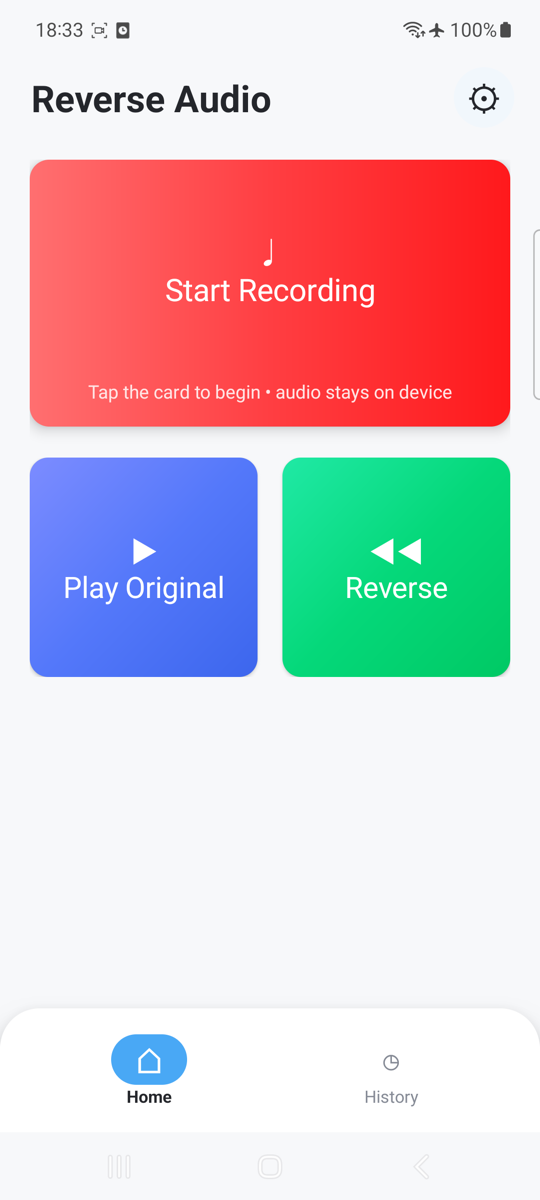
Tap the recording card and speak a phrase, joke, name, or challenge for your friends.
A playful voice challenge
Record a phrase, flip it in seconds, and compare both versions. Reverse Audio turns everyday voices into surprising moments—right on your Android device.
Three simple steps
The core experience stays focused: capture a sound, reverse it locally, and listen to the difference.
Tap the recording card and speak a phrase, joke, name, or challenge for your friends.
The app creates a frame-correct reversed WAV copy directly on your device.
Play the original and reversed clips side by side, then share the result when you choose.
Built for quick fun
No complicated editing timeline. The controls stay large, clear, and ready for another take.
Switch between both directions and hear exactly how your phrase changed.
Keep recent originals and reversed clips together in an app-private library.
Send a selected reversed WAV through Android's system share sheet.
Delete both versions of a recording with a clear confirmation step.
Try something different
Guess what a friend said, then play the original to reveal the answer.
Flip names, catchphrases, and everyday sounds to discover unexpected results.
Compare rhythm, syllables, and short musical ideas from a new direction.
Private by design
The current app has no account, cloud sync, advertising SDK, or analytics SDK. Audio leaves the app only when you deliberately choose to share a recording.
Questions
Microphone access is required only to record the sound you ask the app to reverse. You can deny or revoke permission in Android Settings.
No. The current build processes and stores recordings on the device. A selected file leaves the app only when you use Android sharing.
No account is required, and the recording and reversal features work offline.
Use the recording options to delete a clip and its paired original. Uninstalling the app also removes app-private recordings under normal Android behavior.